
If you run Google Ads or Google Analytics and any of your traffic comes from the European Economic Area, UK, or Switzerland, you have probably seen a warning about Consent Mode v2 in your Google account. The short answer is: yes, if you serve those regions and rely on Google's ad or measurement products, you need it, or your data quietly gets worse every month. The longer answer depends on what you are actually running and how much you care about accurate numbers.
What Consent Mode v2 actually is
Consent Mode is Google's system for telling its own tags (Google Ads, Google Analytics, Floodlight) whether a visitor has agreed to analytics and advertising cookies. Instead of the tag either firing normally or not firing at all, it adjusts its behavior based on two signals: ad_storage and analytics_storage. Version 2 added two more, ad_user_data and ad_personalization, which control whether Google can use visitor data for ad targeting and measurement at all.
When a visitor declines consent, Google's tags do not just go silent. They send "cookieless pings" and use modeling to estimate the conversions and behavior that would have been recorded, filling gaps statistically rather than leaving a hole in your reports.
Why Google made this mandatory
Since March 2024, Consent Mode v2 has been required for any advertiser using Google Ads or Analytics with users in the EEA, UK, or Switzerland. Google did not do this out of goodwill. Regulators pushed hard on how ad platforms use consent data, and Google needed a standardized way to prove it respects opt-outs while still preserving enough signal to sell ads. If you do not implement it and you have EEA traffic, Google has said it may limit personalized advertising features and remarketing lists built from that traffic, and your conversion tracking will get noisier over time as unconsented traffic simply disappears from your numbers instead of being modeled.
Basic mode versus advanced mode
There are two ways to implement it, and the difference matters for your setup:
- Basic Consent Mode blocks Google tags entirely until a visitor makes a choice in your consent banner. Nothing fires, nothing is modeled, and you lose all measurement for that visitor until they respond.
- Advanced Consent Mode lets tags fire in a limited, cookieless state before consent is given, and adjusts behavior once a choice is made. This is what enables the conversion modeling Google talks about, and it is the version most sites should aim for if they want usable data.
Most consent management platforms, including the free and paid CMPs that integrate with Google Tag Manager, support advanced mode out of the box. If you built your own banner by hand, this is the piece most people get wrong, because it requires firing the consent signals before the Google tags load, not after.
Who actually needs this
Consent Mode v2 matters to you if any of the following is true:
- You run Google Ads campaigns and any meaningful share of your traffic or ad spend targets the EEA, UK, or Switzerland.
- You use Google Analytics 4 and want conversion or audience data from those regions to stay accurate rather than showing a growing gap where opted-out visitors used to be counted.
- You build remarketing lists in Google Ads from site visitors in those regions.
It matters much less, or not at all, if you have no EEA, UK, or Swiss traffic to speak of, you do not run Google Ads, or you already use a cookieless analytics tool that never relied on Google's consent signals in the first place.
Consent Mode v2 is not really a privacy feature for your visitors. It is a data-recovery feature for Google's advertising products. If you are not using those products, you are solving a problem you don't have.
The simpler path for small sites
This is exactly the situation a lot of small businesses find themselves in without realizing it. They installed GA4 because everyone said to, they never ran a serious Google Ads campaign, and now they are being told to configure a consent framework to protect ad measurement they are not actually using. If that describes your site, there is a simpler option: move your analytics off cookies entirely.
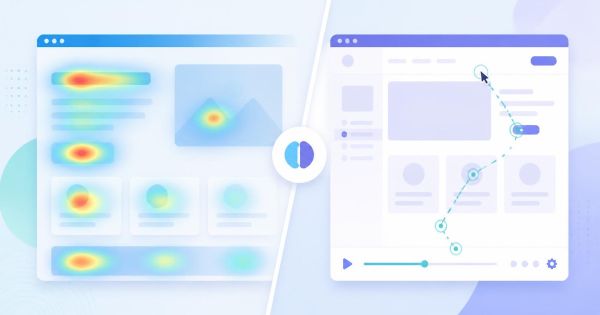
LeadFnF runs on a single lightweight script, no cookies, and no personal data collection by default, which means there is no ad_storage or analytics_storage signal to manage in the first place. You still get session replay, heatmaps, and funnel reports, but you are not building a compliance pipeline just to keep your own numbers honest. For sites that only need to understand where visitors get stuck and why they leave, that is a meaningfully smaller lift than wiring up Basic versus Advanced Consent Mode correctly.
If you do need to implement it
For sites that do run Google Ads or lean on GA4 conversion data from EEA traffic, here is the practical order of operations:
- Confirm your consent banner or CMP explicitly supports Google Consent Mode v2, not just v1. Many older banner installs were never upgraded.
- Set default consent states to "denied" before any Google tag fires, then update them once the visitor responds. This has to happen through Google Tag Manager's consent settings or a direct
gtag('consent', 'default', ...)call that loads before your tags. - Turn on Advanced mode if your CMP allows it, so you get modeled conversions instead of a straight data gap.
- Check your Google Ads account's diagnostics for consent mode warnings a few days after launch. Google will flag missing signals directly in the interface.
- Re-check your GA4 real-time reports for EEA sessions to confirm data is still flowing after consent choices are made, not just before.
Skipping any one of these steps is how sites end up with the worst outcome: a consent banner that satisfies legal requirements but a Consent Mode implementation that is technically broken, meaning it still causes measurement gaps without providing anything to show for it.
The real question to ask first
Before spending a week on this, figure out whether you are protecting Google Ads performance or just trying to keep basic visitor analytics working. Those are different problems with different solutions, and conflating them is why Consent Mode v2 has a reputation for being more complicated than it needs to be for small teams.
Want to see what your funnel actually looks like without wiring up a consent framework first? Start a free LeadFnF trial and watch where visitors drop off today, cookie-free from the first session.