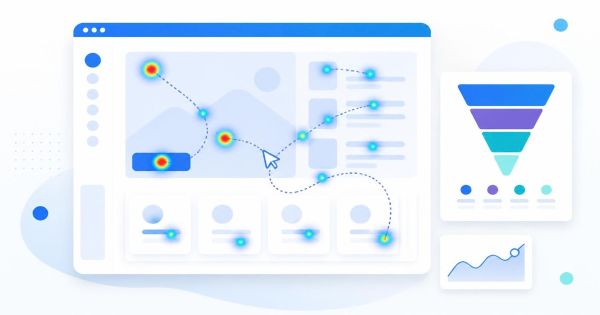

If your WordPress site is dragging its feet, there's a decent chance your analytics stack is part of the problem. A lightweight analytics setup for WordPress means one focused script, minimal database writes, and no extra plugins fighting for the same hooks. You can get real visitor insight without adding 200KB of tracking code to every page load.
Most WordPress site owners inherit their analytics stack rather than choosing it. A theme comes bundled with a stats plugin, a marketing tool adds its own pixel, and eventually the site is loading five different trackers that all do roughly the same job. The fix isn't more dashboards. It's fewer, better ones.
Why WordPress analytics gets bloated in the first place
WordPress makes it easy to install a plugin for everything, and analytics is no exception. Each plugin tends to bring its own JavaScript bundle, its own database tables, and its own admin screen. Stack three or four of these together and you've got redundant tracking calls firing on every page view, extra queries hitting wp_options on every load, and an admin dashboard that takes ten seconds to render a simple traffic chart.
The bloat rarely comes from one bad decision. It builds up slowly: a plugin installed to test something two years ago, a tag manager container nobody cleaned up, a stats widget nobody looks at anymore. None of it gets removed because removing analytics feels risky, even when nobody's reading the reports.
What a lightweight setup actually looks like
A genuinely lightweight analytics setup for WordPress has a few defining traits. It loads a single script, ideally under 5KB, asynchronously so it never blocks rendering. It avoids setting third-party cookies unless you specifically need cross-site tracking. It stores data server-side rather than relying entirely on the browser. And it gives you the handful of metrics that actually inform decisions: where visitors came from, what they clicked, and where they dropped off.
This is roughly the philosophy behind tools like LeadFnF, which ships as a single script under 3KB and handles session replay, heatmaps, and funnel tracking without the cookie-consent overhead of older analytics platforms. The point isn't the specific tool, it's the principle: one script, clear purpose, minimal footprint.
The best analytics setup is the one you forget is running until you need the answer to a specific question.
Auditing what you already have installed
Before adding anything new, check what's already tracking your visitors. Open your browser's network tab on your homepage and count the outgoing requests to analytics domains. It's common to find a stats plugin, a heatmap tool, a marketing pixel, and Google Analytics all loading independently, each with its own script and its own delay.
Go through your plugins list and ask, for each analytics-adjacent tool, whether anyone on your team actually opens its dashboard. If the honest answer is "not in months," that's a strong candidate for removal. Deactivating unused trackers is usually the single fastest way to shave meaningful weight off page load, often more effective than image compression or caching tweaks.
Choosing metrics over noise
Lightweight analytics isn't just about script size, it's about what you choose to measure. A dashboard with forty widgets and twelve chart types looks impressive but rarely changes what you do next week. Pick the handful of numbers tied to actual decisions: conversion rate on your signup funnel, bounce rate on your top landing pages, and where visitors are exiting before completing a purchase.
Real-time visibility matters more than historical depth for most small and mid-sized WordPress sites. Knowing that fifteen people are stuck on your checkout page right now is more actionable than a monthly report showing a vague dip in conversions. Tools built around real-time session data, rather than batch-processed reports, tend to surface problems while you can still fix them.
A simple checklist for a leaner stack
- Remove any analytics plugin whose dashboard hasn't been opened in the last 60 days
- Consolidate overlapping tools, if two plugins track pageviews, keep one
- Confirm your remaining tracker loads asynchronously and doesn't block the first paint
- Check whether you actually need third-party cookies or if first-party tracking covers your needs
- Set up funnel or heatmap tracking only on the pages where drop-off is a known problem, not site-wide by default
Privacy as a side effect of simplicity
A leaner analytics stack tends to be a more private one, almost by accident. Fewer scripts means fewer third parties receiving visitor data. A privacy-first approach, where data is collected to answer specific questions rather than hoovered up indiscriminately, also tends to simplify your cookie consent banner and reduce the legal surface area you need to worry about.
This matters more every year as regional privacy rules tighten. Sites that already run lean, first-party analytics have an easier time adapting to new requirements than sites juggling a dozen third-party trackers, each with its own data-sharing agreement to audit.
Putting it into practice
Start with removal, not addition. Strip out anything you don't check regularly, then add back a single tool that covers session replay, heatmaps, and funnel visibility in one lightweight script. Check your page load times before and after, the difference is usually noticeable even on a single test page.
If you want to see what a genuinely minimal setup looks like in practice, LeadFnF's feature overview is a reasonable place to compare against whatever you're running today. The goal either way is the same: understand your visitors without making them wait for your analytics to load first.
Ready to try a lighter approach to WordPress analytics? Get started with LeadFnF and see your first session replay within minutes.