
The honest answer is: it depends on how you configure them.
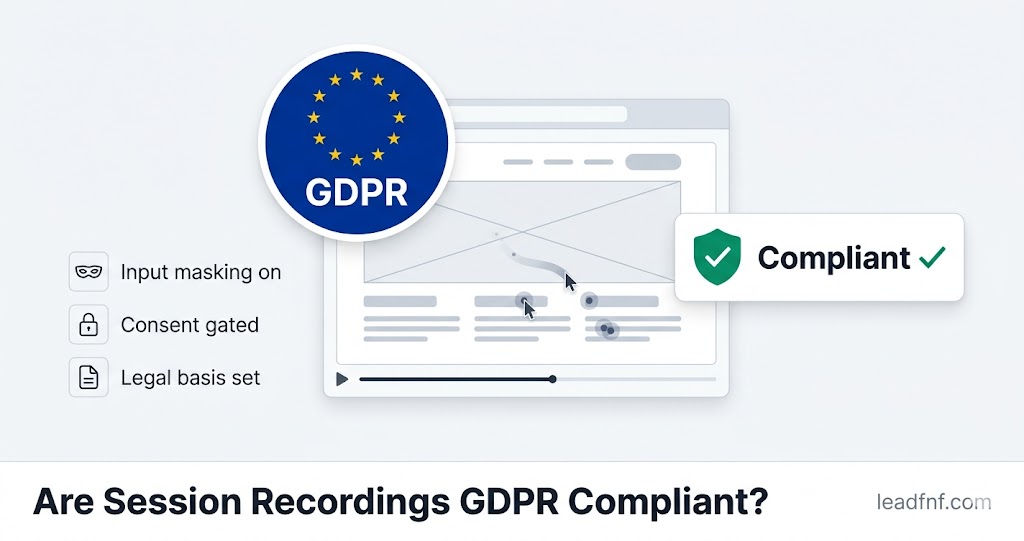
Session recordings are not automatically GDPR-compliant. They are also not automatically illegal. Whether your session recordings comply with GDPR comes down to four specific things: what data you capture, what legal basis you use, whether you have a consent mechanism, and what your tool does with sensitive inputs.
Most articles on this topic hedge so heavily that you finish reading and still don't know what to actually do. This one won't. By the end you'll know exactly what makes session recordings compliant, what the common mistakes are, and how to configure your setup correctly — including what LeadFnF does by default and what you still need to handle yourself.
Key Takeaways
- Session recordings can be GDPR compliant, but they require deliberate configuration — they are not compliant out of the box with most tools (Americaneagle.com, March 2026).
- Session replay tools collect personal data under GDPR — including IP addresses, interaction patterns, and any text users type — which triggers full GDPR obligations (Secure Privacy, November 2025).
- The two legal bases most used in practice are explicit consent (clearest, requires a banner) and legitimate interests (no banner required, but needs a documented balancing test).
- GDPR enforcement is accelerating: €1.2 billion in fines were issued in 2025 alone, and a total of 2,685 fines have been recorded as of March 2026 (GDPR Enforcement Tracker Report 2026).
- The highest-risk compliance gap for most teams is not having input masking enabled — password fields, email addresses, and payment details can appear in recordings if masking is not configured.
- LeadFnF is cookieless by default for traffic analytics and masks sensitive inputs automatically in session recordings — but you are still responsible for your legal basis and privacy policy.
Why Session Recordings Are Personal Data Under GDPR
GDPR applies to any processing of personal data — information that can identify a natural person, directly or indirectly.
Session recordings collect more personal data than most people realise:
- IP addresses — classified as personal data under GDPR by the Court of Justice of the EU (CJEU)
- Typed input — if not masked, includes names, email addresses, passwords, card numbers, and any free-text users enter
- Behavioural patterns — mouse movements, scroll patterns, and click sequences can be linked to an individual's session
- Session identifiers — cookies or tokens that link multiple pageviews to one user
- Device and browser fingerprints — screen resolution, browser version, OS, and timezone can combine to identify a specific user
The moment your session recording tool stores any of the above in a form that can be linked to an identifiable person — even indirectly — GDPR applies in full (Clairvio, April 2026).
Session replay tools can comply with GDPR if properly configured, with policies in place to govern user consent, data masking, and disclosure notices. — Americaneagle.com, March 2026
This is not a grey area. Regulators have made clear that behavioural tracking tools fall squarely within GDPR's scope. The question is not whether GDPR applies — it does — but whether your implementation meets the requirements.
The Two Legal Bases for Session Recordings
GDPR requires a lawful basis for every act of personal data processing (Article 6). For session recordings, two bases are used in practice.
Option 1: Explicit Consent (Article 6(1)(a))
The user explicitly opts in before any recording starts. This is the clearest legal basis — it is unambiguous, auditable, and gives users real control.
What it requires:
- A consent banner or mechanism that loads before your session recording script fires
- Consent must be freely given, specific, informed, and unambiguous — no pre-ticked boxes, no implied consent
- Users must be able to decline without being penalised (no "cookie walls" blocking content)
- Consent must be withdrawable at any time, with a mechanism to do so
- You must log what consent was given, when, and for what purpose
The tradeoff: Consent-based recording captures only users who opt in. On EU-facing sites with a well-designed banner, opt-in rates typically run 40–60% — meaning you miss 40–60% of sessions (etracker Consent Benchmark Report 2025).
This is the approach Microsoft Clarity enforced from October 31, 2025 — all sites serving EEA, UK, and Swiss visitors must implement Clarity's Consent API before any tracking begins (Secure Privacy, November 2025).
Option 2: Legitimate Interests (Article 6(1)(f))
You assert that your interest in improving your product and diagnosing UX problems outweighs the user's privacy interest, after completing a documented Legitimate Interests Assessment (LIA).
What it requires:
- A written LIA documenting: your purpose, necessity test (is recording the minimum data needed?), and balancing test (do your interests override the user's rights?)
- Strong data minimisation: only record what you genuinely need, for the shortest period necessary
- Clear disclosure in your privacy policy that session recording is taking place and why
- A mechanism for users to object (Article 21 right to object)
- The LIA must be defensible if a regulator asks to see it
The tradeoff: No consent banner required — so you capture 100% of sessions. But the legitimate interest basis is harder to sustain for "always-on" recording of every visitor, because you must argue that recording every anonymous user is necessary for your stated purpose. It's easier to justify for targeted recording (e.g. users on your checkout page, or users who triggered an error) than for whole-site blanket recording (Clairvio, April 2026).
The recording model you choose directly affects how complex your compliance posture becomes. Always-on recording processes data from every visitor — your legitimate interests test must cover all of them, most of whom will never have a support issue, which makes the "necessity" argument harder to sustain. — Clairvio, April 2026
5 Requirements to Make Session Recordings GDPR Compliant
Requirement 1: Establish and document your legal basis
Before deploying session recording on an EU-facing site, decide which legal basis you are relying on and document it. This is not optional — GDPR requires you to be able to demonstrate your legal basis if asked by a regulator or data subject.
If using legitimate interests: write a Legitimate Interests Assessment. If using consent: implement a compliant consent mechanism before your recording script loads. Both approaches are valid; the choice depends on your use case, your audience, and your tolerance for data loss from consent rejection.
Do not rely on "I didn't know" or "the tool said it was compliant." You are the data controller. The tool is the data processor. Responsibility sits with you.
Requirement 2: Mask all sensitive inputs — before data leaves the browser
This is the most critical technical requirement. Under GDPR's data minimisation principle (Article 5(1)(c)), you must not collect more data than is necessary for your purpose.
In session recordings, this means masking:
- Password fields — should never be captured under any circumstances
- Payment card fields — card numbers, CVV, expiry dates
- Email and phone number inputs — unless your specific use case requires them
- Any free-text field where users might enter personal information
- Sensitive pages — checkout flows, account settings, health-related forms
Masking must happen at capture time in the browser — before data is transmitted to the server. Masking only on the replay display is not sufficient, because the raw data has already left the user's device.
LeadFnF masks password fields, email fields, phone fields, and number inputs automatically at capture. Pages matching /checkout, /payment, /account, and /settings have all inputs masked by default. Additional elements can be masked with the data-lf-mask attribute and blocked entirely with data-lf-block.
Requirement 3: Update your privacy policy with specific disclosure
Your privacy policy must disclose session recording clearly and specifically. Vague language like "we use analytics tools" is not sufficient. Users must be able to understand:
- What is being recorded (mouse movements, clicks, scrolls, page content)
- Why it is being recorded (UX improvement, bug diagnosis, conversion optimisation)
- Who processes the data (name your session recording tool as a data processor)
- How long recordings are retained (set a specific retention period)
- How users can object or request deletion (provide a contact method)
If you are relying on legitimate interests, you must also describe your balancing test in sufficient detail for users to understand why you believe your interests are proportionate.
Requirement 4: Sign a Data Processing Agreement with your tool provider
Under GDPR Article 28, you must have a written Data Processing Agreement (DPA) with every third party that processes personal data on your behalf. Your session recording tool is a data processor.
Most established tools provide DPAs on request or via their legal documentation. Check:
- Does the tool have a DPA available?
- Does the DPA cover GDPR specifically?
- Is data processed within the EU, or transferred to third countries? If transferred, is there a valid transfer mechanism (Standard Contractual Clauses, adequacy decision)?
For tools processing data outside the EU — including some US-based tools without EU data residency options — you need Standard Contractual Clauses (SCCs) in place to cover the transfer.
Requirement 5: Set and enforce data retention limits
GDPR's storage limitation principle (Article 5(1)(e)) requires that personal data is not kept longer than necessary for its purpose.
Session recordings do not need to be kept indefinitely. For most UX improvement purposes, 30–90 days is sufficient. Set your retention period, document it in your privacy policy, and configure your tool to delete recordings automatically after that period.
If a user exercises their right to erasure (Article 17 — the "right to be forgotten"), you must be able to delete their recording on request. Ensure your tool provider supports this and that you have a process to handle such requests within 30 days.
What Different Tools Do By Default (And What They Don't)
Understanding what your tool handles versus what you still need to configure yourself is essential.
| Requirement | Hotjar (Contentsquare) | Microsoft Clarity | LeadFnF |
|---|---|---|---|
| Cookieless by default | No | No | Yes (analytics) |
| Auto-masks password fields | Yes | Yes | Yes |
| Auto-masks email/phone fields | Configurable | Partial | Yes — automatic |
| Auto-masks sensitive pages | Configurable | Configurable | Yes — by URL pattern |
| Built-in consent banner | No — third-party CMP needed | No — Consent API but no UI | Yes — built in, configurable |
| DPA available | Yes | Yes | Yes |
| Respects DNT signals | Yes | No | Yes |
| EU data residency option | Enterprise only | Azure (US default) | Configurable |
The honest takeaway: No tool makes you automatically compliant. Every tool shifts some responsibility back to you. The practical differences are in how much configuration is required, how good the default masking is, and whether a consent mechanism is built in or requires a third-party CMP.
The Consent Banner Debate: Do You Actually Need One?
This is the question most SaaS founders ask first, because a consent banner means data loss — and data loss means making decisions on incomplete information.
The short answer: you need a consent mechanism for session recordings if you are relying on consent as your legal basis, which is required if your tool uses cookies or persistent identifiers to track EU users.
If your tool is genuinely cookieless — using no persistent identifiers, fingerprinting, or cross-session tracking — you may be able to rely on legitimate interests without a consent banner, provided your LIA is sound and your privacy policy disclosures are clear.
LeadFnF is cookieless for basic traffic analytics — no consent banner required for pageview tracking. For session recordings, which capture interaction data that can be linked to a session, a consent mechanism is recommended for EU visitors. LeadFnF's built-in consent banner (configurable from your dashboard — position, text, accept/decline labels, colours) activates when you enable session recording, and recording only starts after the user accepts.
This approach — cookieless analytics by default, consent-gated recordings for EU visitors — is the practical sweet spot for most SaaS founders and small teams. You keep accurate traffic data (no consent required, no data loss) while remaining compliant for session recordings (consent gate, recording starts only after opt-in).
The Enforcement Reality in 2026
GDPR enforcement is no longer a theoretical risk.
A total of 2,685 fines have been recorded in the CMS GDPR Enforcement Tracker database as of March 2026, with a cumulative total approaching €7 billion since 2018. In 2025 alone, regulators issued approximately €1.2 billion in fines (GDPR Enforcement Tracker Report 2026).
The 2026 coordinated enforcement focus, per the European Data Protection Board (EDPB), is transparency and information obligations — meaning privacy policy disclosures, consent mechanisms, and whether users are genuinely informed about what data is being collected and why. This maps directly onto session recording compliance.
CNIL's actions against Google and SHEIN established clear precedents: making cookie rejection harder than acceptance is itself a GDPR violation, and placing tracking scripts before consent is obtained exposes you to enforcement action (Security Wall, February 2026).
The practical risk for small SaaS sites is not a €20 million fine — that scale is reserved for large enterprises. The real risk is a DPA investigation triggered by a user complaint, resulting in a reprimand, mandatory audit, and forced changes to your data practices. The cost of compliance is lower than the cost of remediation under regulatory pressure.
Your GDPR Session Recording Compliance Checklist
Use this before enabling session recordings on a site with EU visitors:
- Legal basis — Have you decided whether you are using consent or legitimate interests? Is this documented?
- LIA — If using legitimate interests, have you written a Legitimate Interests Assessment?
- Consent mechanism — If using consent, does your recording script load after consent is given, not before?
- Input masking — Are password fields, payment inputs, email fields, and sensitive pages masked at capture?
- Privacy policy — Does your privacy policy specifically disclose session recording, the tool name, the purpose, the retention period, and how users can object?
- DPA — Do you have a signed Data Processing Agreement with your session recording tool?
- Data transfer — If your tool processes data outside the EU, do you have Standard Contractual Clauses in place?
- Retention — Have you set a specific retention period and configured automatic deletion?
- Right to erasure — Do you have a process to delete a specific user's recordings on request within 30 days?
- DNT signals — Does your tool respect Do Not Track browser settings? (Clarity does not; Hotjar and LeadFnF do.)
Frequently Asked Questions
Do session recordings require a cookie consent banner?
It depends on your tool and your legal basis. If your session recording tool uses cookies or persistent identifiers — which most do — you need a consent mechanism before recording EU visitors. If your tool is genuinely cookieless and you are relying on legitimate interests with a documented LIA, a banner may not be legally required, though privacy policy disclosure is still mandatory. LeadFnF is cookieless for analytics but recommends consent-gated recording for EU visitors using its built-in banner.
Is Hotjar GDPR compliant?
Hotjar (now Contentsquare) can be made GDPR compliant with correct configuration: a third-party CMP for consent, input masking enabled, a signed DPA, and proper privacy policy disclosures. It is not compliant by default — you need to configure it. The tool itself provides the DPA and masking capabilities; the consent mechanism and privacy disclosures are your responsibility.
Is Microsoft Clarity GDPR compliant?
Clarity can be made compliant, but it requires implementing Microsoft's Consent API and a CMP before any tracking begins for EU visitors — mandatory since October 31, 2025. Clarity does not respect Do Not Track signals. Data is stored in Microsoft Azure, primarily in the US, which means cross-border transfer mechanisms (SCCs) are required. Clarity is not compliant out of the box for EU-facing sites.
What happens if I record sessions without a compliant setup?
At minimum, you are in breach of GDPR and exposed to regulatory risk. A user complaint to their national DPA can trigger an investigation. Outcomes range from a formal reprimand and mandatory remediation (most common for small sites) to fines of up to 4% of annual global turnover or €20 million — whichever is higher — for serious breaches. The 2025 enforcement trend shows DPAs increasingly targeting smaller companies, not just large platforms (Scrut.io, November 2025).
Does GDPR apply to session recordings of non-EU users?
GDPR applies to EU residents regardless of where your business is located. It also applies to any user in the EEA, UK (under UK GDPR), and Switzerland. If you have any EU visitors — even if your business is based in Pakistan, the US, or elsewhere — GDPR applies to how you process their data.
What is the minimum viable compliant setup for a small SaaS?
For a bootstrapped SaaS with EU visitors, the minimum viable compliant setup is:
- Use a cookieless analytics tool for traffic data (no consent banner needed)
- Enable session recording only after user consent via a compliant banner
- Ensure password and payment fields are masked at capture
- Update your privacy policy to name the tool, purpose, and retention period
- Request and sign a DPA with your tool provider
LeadFnF covers steps 1, 2, and 3 with its default configuration and built-in consent banner. Steps 4 and 5 remain your responsibility.
The Bottom Line
Session recordings are not inherently illegal under GDPR. They are a legitimate tool for improving user experience and diagnosing conversion problems — and regulators recognise that. The question is whether you have set them up in a way that respects users' rights and meets your legal obligations.
The two most common mistakes are: running recordings without a consent mechanism, and not masking sensitive input fields. Both are fixable in under an hour.
The practical approach for most SaaS founders in 2026:
- Use cookieless analytics for traffic data — no consent banner, no data loss, fully compliant
- Gate session recordings behind consent for EU visitors — built-in banner, recording starts only after opt-in
- Enable automatic input masking — password fields, email fields, checkout pages masked by default
- Update your privacy policy with specific session recording disclosures
- Sign a DPA with your tool provider
If you want a setup that handles steps 1, 2, and 3 out of the box, try LeadFnF free for 14 days — cookieless analytics by default, built-in GDPR consent banner for recordings, and automatic sensitive-input masking from day one. No credit card required.