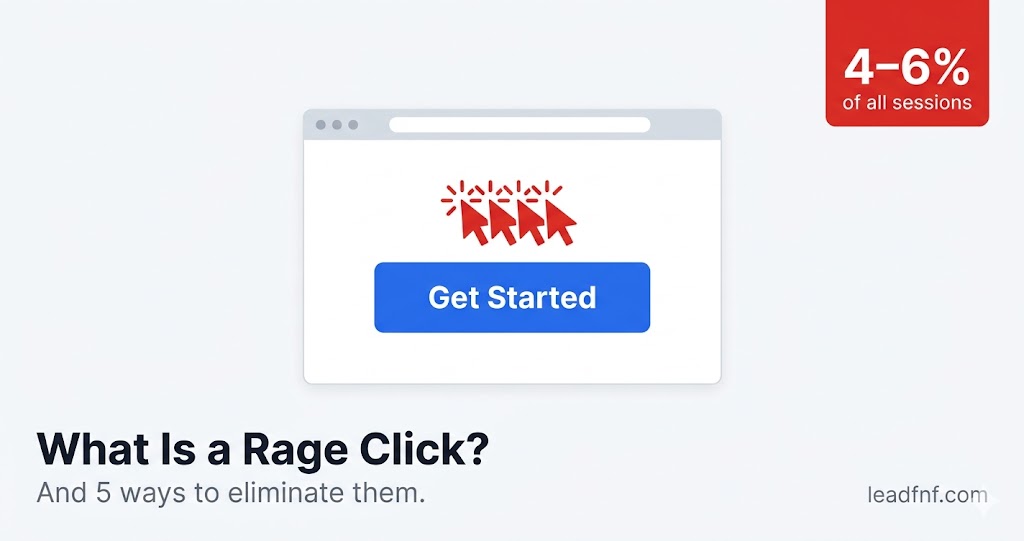
You click a button. Nothing happens. You click again. Still nothing. You click four more times in the next two seconds, jaw clenching, wondering if the internet has personally betrayed you.
That's a rage click. And it's happening on your website right now — you just can't see it without the right tools.
According to FullStory's 2025 analysis of over 1.4 billion user sessions, rage clicks appear in roughly 4–6% of all web sessions — and mobile error clicks surged 667% from 2024 to 2025 (Vulpasoft, February 2026). For a site with 10,000 monthly sessions, that's up to 600 moments of pure user frustration you may be completely unaware of.
The good news: rage clicks are one of the most fixable UX problems you'll encounter. You just need to know where to look.
Key Takeaways
- A rage click is 3 or more rapid clicks on the same element within 2 seconds, flagged automatically by analytics tools as a frustration signal (Amplitude, 2026).
- Rage clicks appear in 4–6% of all web sessions, representing millions of frustrated interactions across the web every day (Vulpasoft, February 2026).
- Users who rage-click during checkout convert at 0.9% vs 4.1% for users with smooth experiences — a 78% drop in conversion rate on the same page (Amplitude, 2026).
- Fixing rage click hotspots typically improves conversion rates by 5–15% on affected pages (Inspectlet, April 2026).
- The 5 root causes — unresponsive buttons, false affordances, missing feedback, silent JS errors, and confusing copy — are all fixable once you can see them.
What Is a Rage Click, Exactly?
A rage click is when a user clicks or taps the same element — or the same area of a page — multiple times in rapid succession because nothing is happening. Most analytics tools define it as 3 or more clicks within a 2-second window on the same target (Amplitude, 2026).
It's the digital equivalent of repeatedly pressing an elevator button. Logically, you know it won't make the elevator arrive faster. But frustration overrides logic — and your users are no different.
Hotjar defines rage clicks as "when a user clicks on the same element five times within 500ms of one another." Microsoft Clarity uses a similar threshold. The exact count varies by tool, but the signal is always the same: a user expected something to happen, it didn't, and they escalated.
Rage clicks vs dead clicks vs error clicks
These three frustration signals are related but distinct — worth knowing when you're watching session recordings:
- Dead click — a single click on a non-interactive element that does nothing. One failed interaction. Knocking on a door.
- Rage click — a frustrated escalation. The user experienced no response and responded with increasing force. Pounding on the door (Vulpasoft, February 2026).
- Error click — a click that triggers a JavaScript error or leads to a 404. The element responds, just incorrectly.
All three signal friction. Rage clicks are the loudest.
Why Rage Clicks Are a Conversion Problem
Rage clicks aren't a UX inconvenience. They're a revenue signal.
When a user rage-clicks, they're at an inflection point: they'll either find another path, contact support, or leave. Most leave.
The data is stark. Users who rage-click during a checkout flow convert at 0.9% compared to 4.1% for users with smooth experiences — a 78% conversion gap on the same page, driven entirely by friction that doesn't appear anywhere in your standard analytics (Amplitude, 2026).
Industry benchmarking consistently shows that pages with high frustration signals — rage clicks and dead clicks combined — convert at significantly lower rates than comparable pages without them (Grain Analytics, March 2026). And because 96% of frustrated users leave without complaining (Parallelhq, November 2025), your support inbox won't warn you. Rage clicks in your session recordings are often the only signal you have.
Fixing them pays directly. Resolving rage click hotspots typically improves conversion rates by 5–15% on affected pages (Inspectlet, April 2026). For a pricing page or checkout step, that's meaningful revenue from a fix that often takes less than an hour to implement.
The 5 Root Causes of Rage Clicks
Understanding why users rage-click tells you exactly where to look for the fix. These five causes account for the vast majority of rage click events.
Cause 1: Buttons and links that don't respond
The most common cause. A button looks clickable, receives a click — and nothing happens. This can be caused by:
- A JavaScript error in the click handler that throws an exception silently
- A submit button disabled to prevent double-submission but with no visual feedback
- A link pointing to
#orjavascript:void(0)— developer scaffolding left in production - An invisible element sitting on top of the real interactive element, intercepting clicks (z-index layering issues)
Users click again and again because their brain says "maybe it didn't register." Every repeated click is a vote that something is broken.
Cause 2: False affordances — things that look clickable but aren't
A false affordance is a visual design cue that implies interactivity where none exists:
- An image with a blue border that looks like a link
- A product card with a hover state but no click behaviour
- A heading with an underline that isn't actually a link
- A static tag or badge that looks like a filter button
Users form expectations from thousands of other websites they've visited. When visual patterns promise interactivity and don't deliver it, frustration is the rational response. The design made a promise it didn't keep.
Cause 3: Slow response with no visual feedback
A button is working — but it takes 2–3 seconds to respond while waiting on a server call or API. No loading spinner. No disabled state. No confirmation that the click registered.
The user, seeing nothing, clicks again. This often causes duplicate form submissions, double charges on payment forms, or race conditions in your backend — damage that extends far beyond the UX problem itself.
Google's Core Web Vitals metric Interaction to Next Paint (INP) directly measures this delay. A poor INP score correlates directly with higher rage click rates (Request Metrics, February 2026). Target under 200ms.
Cause 4: Silent JavaScript errors
A button renders correctly, looks interactive, has a real click handler — but the handler throws an uncaught error before it executes. The page doesn't crash visibly. The user sees nothing happen. The browser console shows an error stack trace that nobody is watching.
This is the most underdiagnosed rage click cause because fixing it requires correlating behavioural analytics with your error monitoring. The problem is in your code, not your design.
Cause 5: Confusing copy that creates wrong expectations
Not all rage clicks come from broken elements. Some come from copy that sets up the wrong expectation.
"Continue" might mean "save and proceed" or "submit irreversibly." "Learn more" might open a modal or navigate away. When users aren't sure what a click will do, they click hesitantly, don't see what they expected, and click again.
Copy-confusion rage clicks tend to cluster on confirmation steps, ambiguous CTAs, and multi-step forms where the path forward isn't clear.
How to Find Rage Clicks on Your Site
You can't fix what you can't see. Finding rage clicks requires a tool that flags and records them automatically.
Step 1: Enable rage click tracking
Session recording tools detect rage clicks automatically. In LeadFnF, rage clicks are flagged in session recordings and visible in click heatmaps with no extra setup beyond your tracking script. Microsoft Clarity and Hotjar flag them the same way.
Step 2: Filter sessions by rage click events
Don't watch sessions at random. Filter specifically for sessions containing a rage click event:
- Open Sessions in your dashboard
- Filter by: Rage click = true
- Sort by: Rage click count, highest first
This immediately surfaces your most frustrated users and the pages where it's happening most.
Step 3: Watch the recordings — don't just read the heatmap
Heatmaps show where rage clicks cluster. Session recordings show why. Watch 10–15 sessions on your highest-rage-click pages. The cause is usually obvious within the first two sessions.
Ask while watching: what was the user trying to do? What happened right before the rage clicking started? Where did they go (or not go) afterward?
Step 4: Cross-reference your click heatmap
Open the heatmap for the same page. If rage clicks are clustering on a specific element, that element is your highest-priority fix. Determine: is it an interactive element that should work but doesn't — or a non-interactive element that users mistake for a button?
Step 5: Correlate with your error logs
If rage clicks cluster on an interactive button, pull your JavaScript error logs for the same page and time range. Silently failing click handlers show up in error logs even when they're invisible to users.
5 Ways to Eliminate Rage Clicks
Fix 1: Add immediate visual feedback to every interactive element
The fastest fix for response-delay rage clicks. For every button that triggers an async operation:
- Show a spinner or animated dots immediately on click
- Disable the button to prevent double-clicks (with a visible disabled state)
- Change the label to "Processing…" or "Submitting…" while waiting
This doesn't fix the underlying latency — but it eliminates the rage clicking because the user now knows their action registered. The frustration is almost always about uncertainty, not the wait itself.
Fix 2: Remove or redesign false affordances
Audit your pages for elements that look interactive but aren't. Open your click heatmap, find hot spots on non-linked or non-clickable elements, and ask: why do users expect this to be clickable?
Common fixes:
- Remove hover states and cursor changes (
cursor: pointer) from non-interactive elements - Make genuinely interactive elements look more obviously clickable — underlines on links, button styles on CTAs
- If users keep clicking a non-interactive image expecting to enlarge it — make it enlarge
Don't fight user expectations. Align your UI to them.
Fix 3: Fix broken click handlers by tracing silent JS errors
Set up JavaScript error monitoring (Sentry is the standard, LogRocket's error tracking works too). Sort errors by frequency on your highest-traffic pages.
For any error that fires on a click event:
- Reproduce it locally
- Read the stack trace — it points to the exact function and line
- Fix the root issue (bad API call, null reference, race condition)
- Deploy and confirm the rage click rate drops on that element
One silent error can generate hundreds of rage clicks per week. This is usually the highest-leverage single fix you'll make.
Fix 4: Rewrite ambiguous CTAs and button labels
For every CTA, button, and link on your highest-traffic pages, ask: if a user clicks this and gets exactly what it does, will they be surprised?
Rules that eliminate copy-confusion rage clicks:
- Be specific about outcomes: "Save and continue" beats "Continue." "Start free trial" beats "Get started."
- Match the label to the destination: a button that opens a modal should signal that. "Download now" opening a modal = rage click territory.
- Distinguish reversible from irreversible actions: "Submit order" should feel different from "Add to cart." Visual weight and copy both matter here.
Test rewritten copy with a simple method: show it to someone who hasn't seen your product and ask what they think will happen when they click it. If they hesitate, rewrite it.
Fix 5: Improve page speed on your highest-exit pages
Slow response is one of the most common silent drivers of rage clicks. Qualtrics found that 43% of users won't return to a slow site — but before they leave, many rage-click the thing they were trying to do (Parallelhq, November 2025).
Focus on three metrics:
- Interaction to Next Paint (INP) — target under 200ms for click response. This is now a Core Web Vital.
- Time to First Byte (TTFB) — slow server responses delay everything downstream
- Third-party script audit — each analytics, chat, or ad tag adds latency. Audit what's loading and defer anything non-critical using
asyncordeferattributes.
You often don't need to rebuild anything. Moving one synchronous API call to async, adding a CDN in front of your server, or deferring a third-party script can cut response time enough to eliminate an entire rage click pattern.
How to Measure Your Progress
After implementing a fix, the measure of success is simple: did the rage click rate drop on that element?
In LeadFnF, track this directly:
- Record the rage click count on the target element before your fix (from heatmap and filtered sessions)
- Deploy the fix
- Check heatmaps and filtered session recordings 7–14 days post-deployment
- Calculate rage click rate: sessions with rage click on that element ÷ total sessions on that page
A successful fix shows a sharp drop in rage clicks on the fixed element, with no corresponding rise elsewhere (which would mean you moved the friction rather than eliminated it).
Pair this with the conversion rate for the same page in your analytics. Rage clicks down + conversions up = you found a direct causal fix. That's the signal worth sharing with your team.
Frequently Asked Questions
What is a rage click in simple terms?
A rage click is when a user repeatedly clicks or taps the same spot on a webpage very quickly — usually out of frustration because nothing is responding. It's a behavioural signal that something on your page is broken, confusing, or too slow.
How do I detect rage clicks on my website?
You need a session recording tool that flags them automatically. LeadFnF, Hotjar, and Microsoft Clarity all detect rage clicks out of the box. In LeadFnF, filter your session list by rage click events and sort by rage click count to find your worst-affected pages immediately.
Are rage clicks always a bad sign?
Usually yes — but context matters. A rage click on a clearly broken submit button is unambiguously a problem. A rage click on a slow-loading image on a 3G connection might reflect network latency rather than a design flaw. Always watch the full session recording around the rage click before acting on it.
How many rage clicks is normal?
FullStory's 2025 analysis found rage clicks in roughly 4–6% of all web sessions. If specific pages are significantly above that — especially pages in your conversion funnel — those pages have a real UX problem worth investigating.
What's the difference between a rage click and a dead click?
A dead click is a single click on a non-interactive element — one failed interaction. A rage click is the frustrated escalation: the user has already experienced no response and is clicking repeatedly. Dead clicks often precede rage clicks on the same element.
Can I fix rage clicks without a developer?
For false affordances and confusing copy — yes, a designer or content person can fix those directly. For JavaScript errors and INP improvements — you'll need a developer. For adding loading states — usually a quick 1–2 hour developer task once you've identified the problem element.
The Bottom Line
Rage clicks are quiet. They don't appear in your GA4 dashboard. They don't show up in your funnel as anything other than a generic drop-off. But they're happening on your site right now — on your pricing page, your signup form, your checkout — and each one represents a user who tried to give you their attention or their money and got a broken experience instead.
The fix almost always starts with watching session recordings. Filter for rage clicks. Watch 10 sessions on your worst-affected page. The cause will be obvious. Then apply the relevant fix from the five above.
You don't need to redesign your product. You need to see what your users are actually doing — and then remove the friction stopping them from converting.
Try LeadFnF free for 14 days — session recordings with rage click detection built in, no credit card required. See your first rage click session within 10 minutes of installing the script.