If you've tried to understand the "cookieless future" over the past three years, you've probably encountered a confusing combination of news. Google was going to kill third-party cookies in Chrome. Then they delayed it. Then they reversed course entirely in April 2025. Then they shut down the Privacy Sandbox in October 2025. Meanwhile Safari and Firefox already blocked third-party cookies years ago.
So what's actually happening? And what does any of this mean for you — a founder or small team trying to understand your website traffic?
This guide cuts through the noise. By the end you'll know exactly what a cookie is, why cookieless analytics exists, how it works without technical jargon, what you give up, what you gain, and whether it's right for your site in 2026.
Key Takeaways
- A cookie is a small file stored in a user's browser that lets websites remember who they are between visits. Third-party cookies extend this to track users across different websites — that's the part privacy laws and browsers have been killing off (OpenPanel, February 2026).
- Google reversed its plan to remove third-party cookies from Chrome in April 2025 and confirmed it would not introduce a user choice prompt. Chrome still supports them as of June 2026 — but Safari and Firefox have blocked them for years, covering roughly 35–40% of global browsing traffic (Didomi, April 2025).
- In October 2025, Google officially retired the Privacy Sandbox APIs — including Attribution Reporting, Topics, and Protected Audience — leaving the industry without a standardised cookie replacement (Segwise, March 2026).
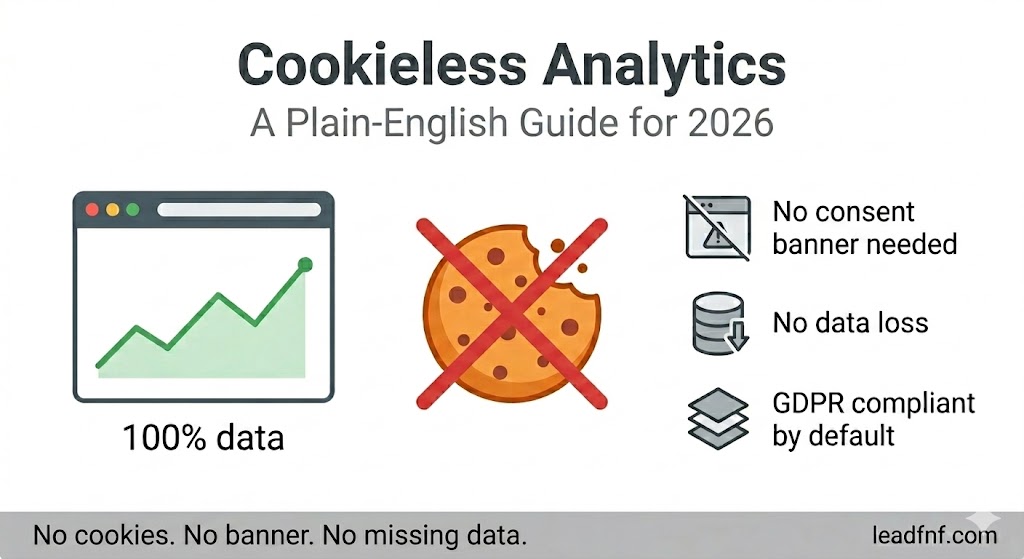
- Cookieless analytics collects visitor data without storing any cookies — using aggregated, anonymised techniques instead of individual tracking identifiers.
- Multiple EU data protection authorities, including France's CNIL and Germany's DSK, have confirmed that properly configured cookieless analytics tools do not require a GDPR consent banner (Humblytics, March 2026).
- Users running cookieless and cookie-based analytics in parallel consistently report the cookieless tool showing 20–25% more visitors — because it captures data that consent rejections and ad blockers hide from cookie-based tools.
- LeadFnF is cookieless by default for traffic analytics — no consent banner needed, 100% of real visitor data, no GDPR compliance project required.
Part 1: What Is a Cookie, Actually?
Before cookieless analytics makes sense, you need a clear picture of what a cookie is and does — not the technical definition, but what it means in practice.
When you visit a website, the server can instruct your browser to save a small text file on your device. That file is a cookie. Next time you visit, the browser sends the cookie back to the server — and the server can say "oh, this is the same person who was here last Tuesday."
That's a first-party cookie. It belongs to the website you're visiting. It's how your shopping cart stays populated when you leave and come back. It's how your login session persists. It's how analytics tools like Google Analytics identify returning vs new visitors on your own site.
A third-party cookie is different. It's set not by the website you're visiting, but by a different company whose code is running on that site — an ad network, a tracking pixel, a social media share button. That third party can now recognise you when you visit any other site that has their code embedded. This is how a shoe ad follows you around the internet for two weeks after you looked at one pair of trainers. The shoe company's tracker saw you on their site, set a cookie, and then recognised you everywhere else their pixel appears.
Third-party cookies = cross-site surveillance. That's what browsers and regulators have been restricting. First-party cookies for session management and basic analytics are largely fine — but they still trigger GDPR consent obligations if they process personal data.
Part 2: The Cookie Timeline — What Actually Happened
The "cookieless future" narrative has been running for years, with multiple plot twists. Here's the accurate 2026 version:
2017: Safari introduces Intelligent Tracking Prevention (ITP), blocking third-party cookies and limiting first-party cookie lifetime.
2019: Firefox enables Enhanced Tracking Protection by default, blocking known third-party trackers. Google announces the Privacy Sandbox initiative — promising to phase out third-party cookies in Chrome by 2022.
2022–2024: Google delays the Chrome cookie deprecation three times, each time citing industry readiness concerns and pressure from the UK's Competition and Markets Authority (CMA).
January 2024: Google disables third-party cookies for 1% of Chrome users to test Privacy Sandbox APIs.
July 2024: Google abandons the deprecation plan, pivoting to a "user choice" model instead.
April 2025: Google announces it will not introduce a user choice prompt for third-party cookies in Chrome. Third-party cookies remain enabled by default in Chrome with no new prompt. The Privacy Sandbox initiative continues in reduced form (OneTrust, April 2025).
October 2025: Google officially retires most Privacy Sandbox APIs — Attribution Reporting, Topics, Protected Audience — both for Chrome and Android. The attempt to build a single standardised cookie replacement is formally abandoned (Segwise, March 2026).
2026: Third-party cookies remain in Chrome by default. Safari and Firefox continue blocking them. The result is a fragmented landscape where tracking behaviour depends entirely on which browser your visitors use.
What this means for your analytics
The Chrome reversal does not mean the cookie problem went away. It means it became permanent and fragmented. Here is the real situation:
- Chrome (~65% of global traffic): third-party cookies still work
- Safari (~20% of global traffic): third-party cookies blocked since 2017
- Firefox (~3–5% of global traffic): third-party cookies blocked by default
- Other browsers (Edge, Brave, etc.): varying restrictions
Even in Chrome, first-party analytics cookies still trigger GDPR consent requirements for EU visitors. GA4 still loses 20–60% of EU data from consent banner rejections. Ad blockers still prevent GA4 from loading for 15–30% of technical audiences. The data loss problem persists regardless of what Google does with third-party cookies.
Part 3: What Cookieless Analytics Actually Means
Cookieless analytics is any approach to measuring website traffic and user behaviour that does not rely on cookies stored in the visitor's browser.
That does not mean anonymous or blind. It means the tool collects data through different technical mechanisms — ones that don't require placing a persistent identifier on the user's device.
The most common approaches in 2026:
Approach 1: Aggregated statistical tracking
Tools like Plausible and Fathom count visitors and pageviews using aggregated, anonymised data. When a pageview event fires, the tool processes the request on its server and stores the data in aggregate — how many people visited /pricing today — without attaching that visit to any individual user profile.
No cookie is set. No persistent identifier is stored. The individual visitor is never identifiable. GDPR consent is not required because no personal data is processed (Humblytics, March 2026).
What you get: accurate visitor counts, pageviews, sources, device breakdown, geography.
What you don't get: individual user journeys across sessions, return visitor identification, session-level behaviour.
Approach 2: Anonymised session tracking
Tools like LeadFnF use anonymised session identifiers — random tokens generated fresh for each session, not linked to a persistent user profile or stored in a cookie. Each visit is associated with a temporary ID that expires at session end and cannot be linked to the same person across visits.
This allows session-level data — what pages did someone visit in one session, what did they click — without cross-session or cross-site tracking.
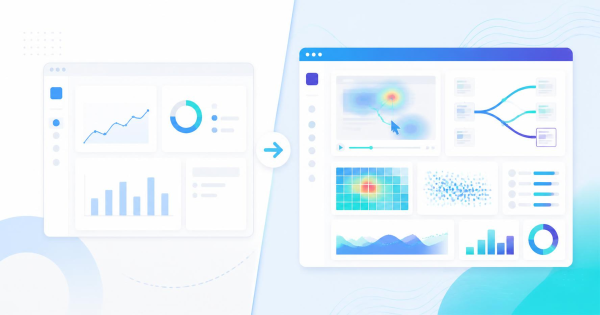
What you get: all the aggregated traffic metrics above, plus session-level data (visit duration, pages per session, entry/exit pages) and the ability to power session recordings and heatmaps.
What you don't get: user-level cross-session tracking ("this is the fourth time this specific person has visited").
Approach 3: Server-side tracking
Rather than firing a JavaScript tag in the browser, events are sent from your server directly to the analytics platform. This approach bypasses browser restrictions entirely — no browser extension can block a server-to-server call.
This is the most powerful approach for ad attribution and conversion measurement, but requires significant developer work to implement. It's increasingly used by larger teams but is overkill for most founders and small SaaS teams.
Over 72% of B2B companies now employ server-side tracking, reporting an average 45% data quality improvement over client-side-only approaches. — Humblytics, March 2026
Part 4: Cookie-Based vs Cookieless Analytics — The Real Differences
| Cookie-Based (GA4) | Cookieless (LeadFnF / Plausible) | |
|---|---|---|
| Data loss from ad blockers | 15–30% of traffic blocked | Near zero — lightweight script |
| Data loss from consent rejection | 20–60% of EU visitors (opt-in banners) | None — no consent required |
| GDPR compliance | Requires banner + Consent Mode v2 setup | Compliant by default |
| Consent banner needed | Yes — for EU visitors | No |
| Cross-site user tracking | Yes (third-party cookies) | No |
| Individual user identification | Yes (returning visitor tracking) | No (sessions only) |
| Session recordings | No | Yes (with LeadFnF) |
| Setup complexity | Hours of configuration | One script tag |
| Data accuracy (EU sites) | 40–80% of real traffic | ~100% of real traffic |
| Google Ads integration | Native | None |
What you gain with cookieless
Accuracy. This is the most underappreciated advantage. When GA4 tells you 1,000 people visited your pricing page, that number may represent 40–80% of your real traffic. When a cookieless tool tells you 1,200 people visited, it's showing you everyone — including the 25–40% of users whose browsers, ad blockers, or consent choices made them invisible to GA4.
Decisions made on more accurate data are better decisions. If you're optimising a landing page based on a biased sample — the subset of users who consent to tracking — you're optimising for the wrong group.
No compliance project. Running GA4 correctly for EU visitors requires: a Consent Management Platform, Consent Mode v2 implementation, privacy policy updates, and ongoing monitoring of DPA guidance. Running LeadFnF requires none of that for basic analytics. The GDPR compliance work is done at the tool level, not by you.
Speed. LeadFnF's tracking script is lightweight and loads asynchronously. GA4's gtag.js weighs 45–75 KB and its firing logic adds latency on every page. Removing GA4 from a site consistently improves Lighthouse performance scores.
What you give up with cookieless
Cross-session user tracking. You can't tell that a visitor who came from your LinkedIn post last Tuesday is the same person who signed up today from a Google search. You see two separate sessions.
Google Ads attribution. If you're running paid campaigns, Google's conversion tracking works through cookies and requires GA4 to attribute revenue back to specific ad groups. Cookieless analytics cannot replace this for paid acquisition measurement.
Individual user profiles. You can't look up "what did [email protected] do on my site before they signed up?" Aggregate behaviour, yes. Individual journeys, no.
For most SaaS founders and small teams — especially those not running paid ads at scale — these tradeoffs are acceptable. You get accurate traffic data, zero GDPR friction, and session-level behaviour insights without compromising individual privacy.
Part 5: Does "Cookieless" Mean You Can Skip GDPR Consent?
For basic traffic analytics — yes, in most cases, with a properly configured cookieless tool.
France's CNIL and Germany's DSK have both issued guidance confirming that analytics tools which:
- Set no cookies
- Process no personal data (IP addresses anonymised, no fingerprinting)
- Collect only aggregated data
- Do not share data with third parties
...do not require a GDPR consent banner (Humblytics, March 2026).
This is why Plausible and LeadFnF (for traffic analytics) can legitimately claim GDPR compliance without a consent banner — they don't process personal data in a way that triggers GDPR's consent requirements.
The important caveat: if you enable session recordings, you move into different territory. Session recordings capture interaction-level data that can be linked to a session and potentially to an individual. For session recordings with EU visitors, a consent mechanism is required. LeadFnF handles this with its built-in consent banner — which only activates when session recording is enabled, and only triggers for the recording component, not the analytics.
For the full picture on session recordings and GDPR, see Are Session Recordings GDPR Compliant? The Honest Answer.
Part 6: Which Tool Is Right for You?
You need cookieless analytics (and nothing else) if:
- You run a content site, blog, or documentation site where pageviews and source data are the primary metrics
- You have EU visitors and want zero GDPR friction
- You want to simplify your stack and remove the compliance overhead of GA4
- You are not running paid ads and don't need Google's attribution ecosystem
→ Consider Plausible ($9/month, 10K pageviews) or Fathom ($14/month).
You need cookieless analytics plus session behaviour if:
- You run a SaaS product and want to understand why users aren't converting, not just how many aren't
- You want heatmaps and session recordings alongside traffic data — in one dashboard, not two
- You want GDPR compliance by default without a third-party CMP
- You want to replace GA4 + Hotjar with one script at a fraction of the price
→ LeadFnF — cookieless analytics by default, session recordings and heatmaps included, starts at $19/month. 14-day free trial, no credit card.
You should keep GA4 if:
- You are running Google Ads and need native conversion tracking and audience syncing
- You have a dedicated analyst using GA4's advanced features (cohort analysis, BigQuery export, predictive metrics)
- You are at scale — 100K+ monthly visitors — and need enterprise-grade attribution
For a detailed head-to-head, see GA4 vs Plausible: Honest Comparison for SaaS Founders (2026).
Part 7: How to Switch to Cookieless Analytics in 4 Steps
Step 1: Run both tools in parallel for 2–4 weeks
Install your new cookieless tool alongside GA4. Let them run simultaneously and compare numbers. You will likely find the cookieless tool shows 10–25% more visitors — that's not an error, it's the data that was previously invisible to GA4. This parallel run builds your confidence before you commit.
Step 2: Update your privacy policy
Even without a consent banner, your privacy policy should disclose what data you collect, how it's processed, and that you use an analytics tool. Name the tool. State the purpose. State that no personal data is sold or shared. This takes about 30 minutes and is best practice regardless of which tool you use.
Step 3: Remove GA4 (when you're ready)
Remove the gtag.js snippet from your <head>. If you use Google Tag Manager, remove the GA4 configuration tag. Your site will load faster immediately.
Step 4: Handle paid ads separately
If you run Google Ads, set up conversion tracking directly in the Google Ads interface (not through GA4) using Google's tag or server-side conversion API. This keeps paid attribution working without needing GA4 on your marketing site.
Frequently Asked Questions
Is cookieless analytics really accurate?
More accurate than cookie-based analytics for most sites, because it doesn't lose data from consent rejections or ad blockers. For EU-facing sites with a standard consent banner, cookie-based analytics like GA4 can miss 20–60% of real traffic. Cookieless tools capture nearly everyone. The trade-off is that you can't track individual users across sessions — you see aggregated and session-level data, not individual journeys.
Does cookieless analytics work for e-commerce?
For traffic insights and conversion funnel analysis — yes. For individual cart abandonment attribution (knowing exactly which user abandoned which cart and following up) — no. Cookieless analytics tells you what percentage of users drop off at each checkout step and where they came from. It won't let you send a personalised abandonment email to a specific person who left without signing in.
Can I use cookieless analytics alongside Google Ads?
Yes, with a caveat. Cookieless analytics tools generally don't integrate with Google Ads for bidding optimisation. You'll need a separate conversion tracking mechanism for your Google Ads account — either Google's native tag or a server-side conversion API. Many teams run a cookieless analytics tool for site understanding and GA4 (or just Google Ads conversion tracking) for paid attribution.
What's the difference between cookieless and privacy-first analytics?
They overlap but aren't identical. "Privacy-first" describes a design philosophy — tools that minimise data collection, avoid personal data processing, and respect user preferences. "Cookieless" describes a specific technical approach — no cookies stored on the user's device. Most privacy-first analytics tools are also cookieless, but some tools can be cookieless while still using other tracking methods (like fingerprinting) that raise privacy concerns. True privacy-first analytics avoids both cookies and fingerprinting.
Didn't Google reverse its cookie deprecation? So why does this still matter?
Google reversed its plan to show a user choice prompt in Chrome and retired the Privacy Sandbox APIs in October 2025 — meaning Chrome still supports third-party cookies by default with no new prompt. But this doesn't solve the core analytics problem. Safari and Firefox still block third-party cookies for ~35–40% of web traffic. GDPR still requires consent for cookie-based analytics on EU visitors. Ad blockers still prevent GA4 from loading for 15–30% of technical audiences. The data quality problem is structural, not just about Chrome's cookie policy.
Does LeadFnF use cookies at all?
LeadFnF uses no cookies for traffic analytics. Visitor counts, pageviews, sessions, and sources are tracked using aggregated, anonymised methods with no persistent browser storage. For session recordings, a temporary session-scoped identifier is used (not a persistent cookie) and EU visitors see the built-in consent banner before any recording begins. Sensitive inputs — passwords, email fields, payment data — are masked at capture before any data leaves the user's browser.
The Bottom Line
In 2026, cookieless analytics isn't a future trend — it's the practical present for any site that takes data accuracy and compliance seriously.
The cookieless transition doesn't mean losing insights. It means shifting from surveillance-style individual tracking to accurate aggregate measurement that respects user privacy and captures visitors your cookie-based tools are currently missing.
The choice is straightforward:
- If you only need traffic data — Plausible or Fathom. Simple, accurate, no compliance overhead.
- If you need traffic data and session behaviour — LeadFnF. Cookieless analytics plus session recordings and heatmaps from one script, starting at $19/month.
- If you need paid ad attribution at scale — keep GA4 or a server-side tracking setup, but accept the compliance and data-quality tradeoffs.
Try LeadFnF free for 14 days — cookieless by default, one script, no consent banner required for analytics, and no credit card to start.